


Forgot Password

 中文
中文- Update Date:2026-05-14
- Units:Information Technology Service Center
Forgot Password
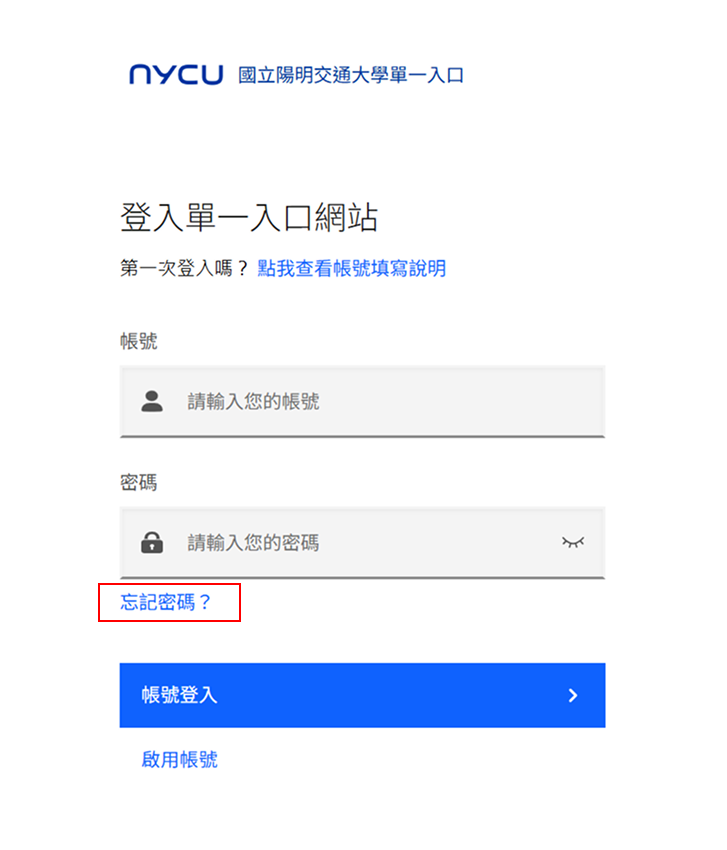
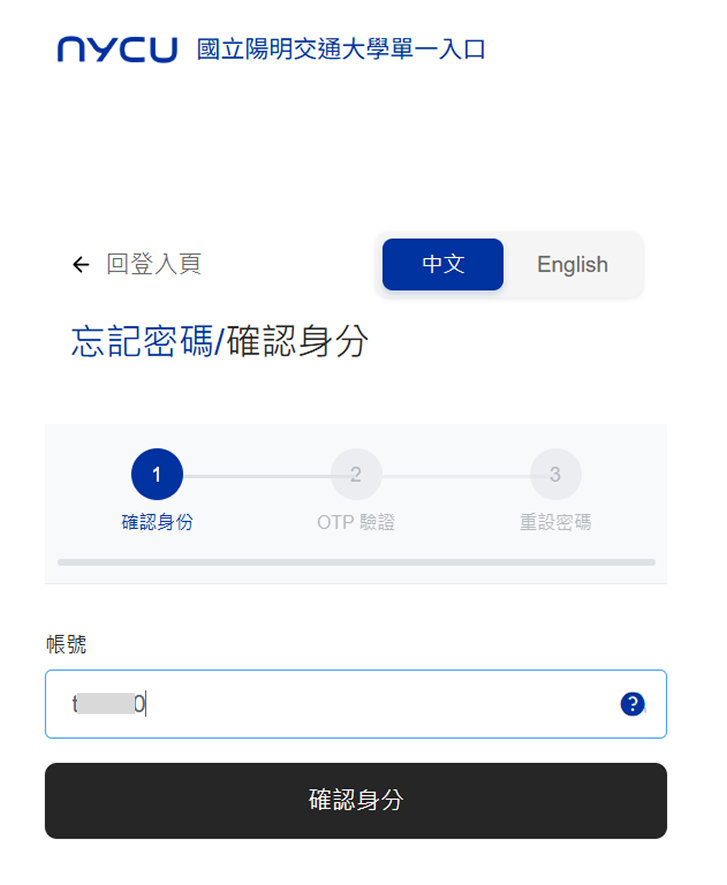
2. Enter your Portal account to verify your identity.
3. The system will send an OTP verification email to your mailbox . After receiving it, please enter the OTP to verify.
If you still do not receive the email after multiple attempts,please fill out the [Email Not Received Form]
![The system will send an OTP verification email to your mailbox . After receiving it, please enter the OTP to verify. If you still do not receive the email after multiple attempts,please fill out the [Email Not Received Form]](/userfiles/iten/images/20250909170702267.png)
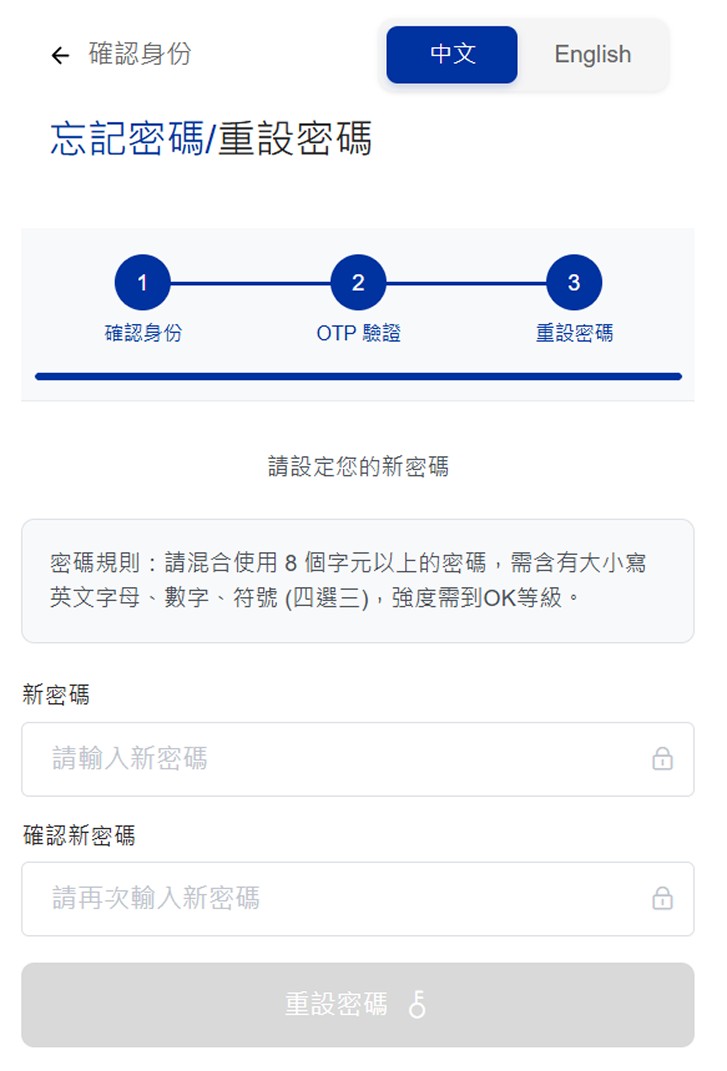
4. After successful verification, please reset your password on the page.
- Forgot Portal Password
2. Enter your Portal account to verify your identity.
3. The system will send an OTP verification email to your mailbox . After receiving it, please enter the OTP to verify.
If you still do not receive the email after multiple attempts,please fill out the [Email Not Received Form]
4. After successful verification, please reset your password on the page.


